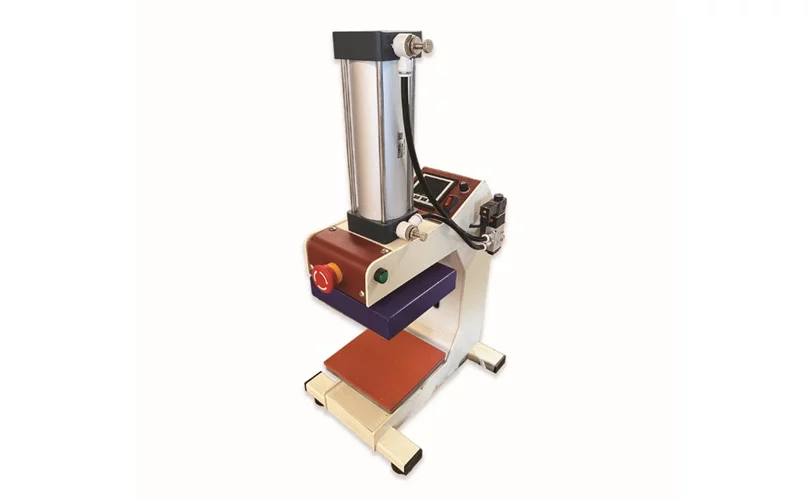
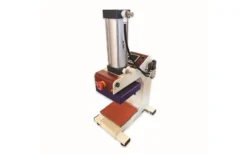
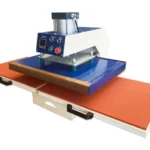
Single Station Pneumatic Mark Heat Press Machine
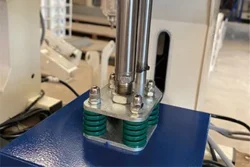
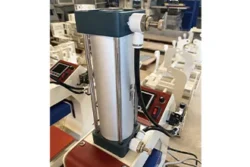
Pneumatic heat press single station machine to transfer logos, labels and designs accurately. Best suited to the garment and promotional sectors of Bangladesh, providing quality finishing to different materials.
| Model name |
PT-J2 |
|---|---|
| Payment Method |
L/C at sight or T/T in advance |
| Warranty |
12 Months. |

Single Station Heat Press Specification
| Model | Printing Area | Maximum Temperature | Voltage | Power | Gross Weight | Package Size |
| PT-J2 | 150*150mm | 260℃ | 220V/110V | 400W | 18kg | 380*310*700mm |
Advantage & Features
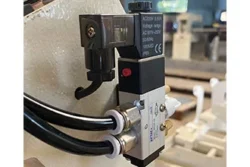
- Pneumatic operation of controlled, uniform pressure.
- Fast setup platen with quick heating.
- Simple temperature and time adjustment electronic control panel.
- Customization opportunities provided by OEM services.
- Fast and easy to use, minimizes errors in comparison to manual presses.
Applications
Garment factories (brand labels, care instructions, size tags), t-shirt printing (small logos, chest prints), personalized items (custom-branded apparel, gifts), promotional products (tote bags, mouse pads), sublimation printing (polyester-coated items, fabrics).
Warranty & Delivery
Warranty Period: 12 Months (Shipping cost to be borne by customer)
Technical & After Sales Service: We provide installation, training, and ongoing support including service visits and 24/7 phone assistance to keep your machine running smoothly.
Delivery Time: 30–45 days (Estimated). For exact timing, please contact our sales team.
Frequently Asked Questions
How do I start using the PT-J2?
Plug in, set temp/time, pre-press the garment, position your design, press the dual buttons to stamp the transfer, and peel.
How do I set it up after unboxing?
Place the station pneumatic driver mark heat press on a stable worktable, connect to the air compressor and power, then test heat.
How do I adjust temp and time?
Use the digital panel of the driver mark heat press machine logo unit to set your desired temperature and pressing time.
How can I press a logo on a sleeve?
Set temp/time, align the sleeve and logo on the heat press transfer platen, press, and peel after the beep.
How to adjust pressure?
The convenient design includes a knob near the air inlet; turn it to increase or decrease air pressure for the pneumatic driver mark heat press.
Prominent Tec Company Information
Address: House No. 99, Lift No. 07, Rd No. 4, Block B, Banani, Dhaka-1213, Bangladesh.
Business Type: Importer, Indenting & Distributor, Agents
Business Range: Printing Machinery & Consumables
Main Products: Textile Label Printing Machine, Garments Printing Machine, Digital Garments Printing Machine, Paper & Packaging Printing Machine, Printing Inks, Chemicals, Mesh, Squeegee, Ribbon, Flexo Photopolymer Plates, CTP Plate
About us: Established in 2010, Prominent Tec is a leading importer, indenting agent, and distributor specializing in advanced printing machinery and high-quality consumables. We represent renowned international brands such as Focus Label Machinery (UK), Ink Tec Inc. (USA), and Azon Printer (Croatia), among others, providing comprehensive printing solutions tailored to the garment, textile, packaging, plastic, and metal printing industries. With a dedicated team of professionals, robust warehouse facilities, and a commitment to exceptional service, Prominent Tec ensures reliable supply and technical support, helping our customers achieve efficiency and excellence in their printing operations.